

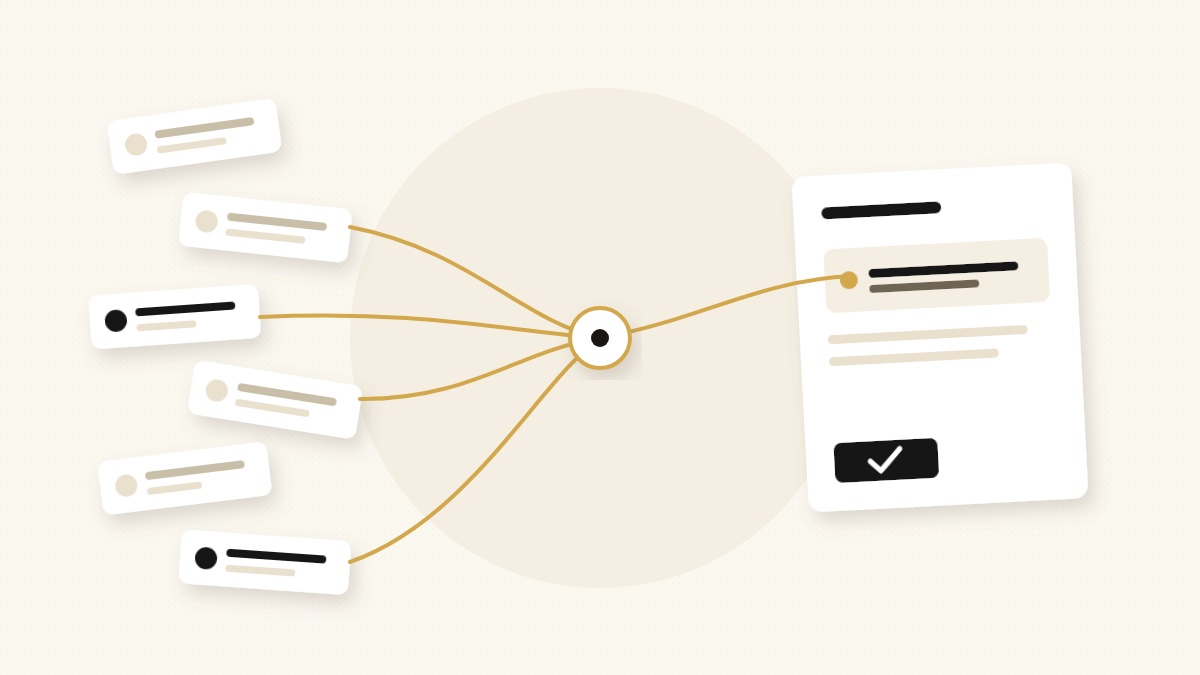
Adding AI to your work rarely makes it quieter on its own. Each new assistant can become one more thing that pings you: a morning summary, a Slack message, a reminder about the reminder.
An AI chief of staff is supposed to do the opposite. A good human chief of staff does not forward you everything. They decide what needs you, handle or prepare the rest, and come to you with a recommendation instead of a pile. That is the standard this guide uses.
Publisher disclosure: Sharick is one of the products below, and we build it. This guide compares official product pages, pricing pages, and documentation; it is not a hands-on benchmark. The scenarios are a test plan for your own trial, and we say where another product is the better fit.
The short answer
- You only want fewer banners: start with the free tools already on your phone.
- Your work lives in email and calendar: look at alfred_.
- Your team runs on Slack and you want a prioritized to-do list: look at Bond.
- You want to build and schedule your own agents: look at Lindy or Nerve.
- Your problem is promises slipping between email, chats, and meetings: look at Sharick.
Four jobs that all get called “notification help”
Product pages use the same words for different work. Separate them before you compare anything:
- Silence noise. Mute, batch, or summarize alerts. Your phone already does this.
- Unify the stream. Pull email, Slack, and tasks into one list, so you check one place instead of five.
- Rank what matters. Decide which items deserve attention now and which can wait for a brief.
- Protect commitments. Notice what you promised, what you are waiting on, and what is about to slip, then prepare the follow-up.
Jobs 1 and 2 change how alerts are delivered. Jobs 3 and 4 change how many decisions reach you. An AI chief of staff should be judged mostly on 3 and 4. If a tool only does 1 and 2, it is a good notification tool, which may be all you need.
Side-by-side comparison
Summarized from each vendor’s own pages on September 29, 2026. Prices are list prices for one person, in US dollars; check the current page before buying.
| Option | When it interrupts you | Tracks commitments? | Sends for you? | Starting price |
|---|---|---|---|---|
| Sharick | Daily briefing; follow-ups on what you owe and are waiting on | Yes, across email, messages, and meetings | Suggests the next step; you choose | $29/mo or $288/yr, 7-day trial |
| alfred_ | Morning Daily Brief; web, iPhone, SMS, iMessage, Slack | Yes, a running request list | Drafts, asks before sending | From $25/mo billed annually, 7-day trial |
| Bond | Pings in Slack on risks, blockers, and wins; scheduled routines | Yes, ranked P0 to P3 | Drafts follow-ups | Not published; free trial |
| Lindy | Routines you schedule, in Slack, iMessage, or email | Not a dedicated feature | Asks before consequential actions | $29.99/mo (credit-based) |
| Nerve | Daily briefing; per-agent autonomy modes | Via its agents | Configurable, from “ask me” to “just do it” | Free (1 brief/day); Pro $29/mo |
| iPhone & Pixel | Scheduled or summarized notifications | No | No | Free on supported devices |
The six options
 Sharick: commitments first, interruptions second
Sharick gathers meeting notes, messages, email, and tasks into a daily briefing and follow-up tracking. The design choice that matters here: it treats most notifications as symptoms of unfinished work. Instead of passing each one along, it asks what you owe, who you are waiting on, and what changed, then shows the source behind each suggestion so you can check or correct it. It is built for one person carrying many threads, usually a founder or operator.
Where it is weaker: it is not a workflow builder. If you want to design a custom agent that runs a report every Friday, Lindy or Nerve is the more direct fit. See the proactive assistant overview and pricing.
 alfred_: the email and calendar specialist
alfred_ describes itself as the assistant that makes sure nothing slips. It connects to Gmail, Outlook, calendars, Slack, and a long list of work apps, sends a Morning Daily Brief, and keeps a persistent list of requests with due dates and sources. It drafts replies and asks before sending, and it reaches you in more channels than most, including SMS and iMessage.
Check during a trial: plans are metered in credits for automations (briefs and triage are not), so estimate your usage before choosing a tier. See alfred_ and its pricing.
 Bond: a self-managing to-do list in Slack
Bond, a Y Combinator company, positions its assistant as an AI chief of staff for CEOs. It pulls commitments from tools such as Gmail, Slack, Notion, Linear, and Jira, ranks them from P0 to P3, tracks what you are waiting on from teammates, and drafts follow-ups in your voice. Of the products here, it is the closest in spirit to commitment tracking.
Check during a trial: it is Slack-native and describes itself as early access, with no public price list. See Bond and its launch post.
 Lindy: an AI teammate you configure
Lindy describes an AI teammate that works mainly in Slack, with iMessage and email as other channels, and connects to a very large catalog of tools. You set up routines such as a morning briefing or a weekly report, and it asks for approval before consequential actions like sending email. It is the most flexible option here if you can name the job you want automated.
Check during a trial: pricing is credit-based, so cost depends on usage, and interruptions depend on the routines you design. See Lindy and its pricing.
 Nerve: agents that own processes
Nerve positions itself as an AI chief of staff for founders and operators, with agents that take over cross-functional work end to end. Each agent can run in Ask Me, Show Plan, or Just Do It mode, and messages to other people wait for approval unless you set an outbound policy. It connects to email, Slack, calendars, HubSpot, Asana, meeting notes, and Mercury.
Check during a trial: the free plan includes one briefing per day. Decide how much autonomy you actually want before you turn it up. See Nerve.
 iPhone and Pixel: the free baseline
Before paying for anything, use what you have. On iPhone, Scheduled Summary batches the notifications of apps you choose into digests at times you set, and Apple Intelligence can summarize and prioritize notifications. On Pixel, Notification Organizer sorts low-priority alerts into groups, and AI summaries condense long conversations on supported models.
The limit: these tools only see notifications. They do not know that a contract renews next month or that someone has waited six days for your file. See Apple’s guide and Google’s Pixel help.
Also worth knowing: Mio and Sentra use the chief of staff label for team products, a shared Slack agent and organization-wide memory respectively. They are good options for a company, less so for one person’s attention.
Four scenarios to test before you commit
Run the same four situations through each trial. Give each product only the access it needs, and write down what happened, including how much you had to correct.
1. The overnight flood
You wake up to 40 messages across email and Slack, and two of them matter. Does the tool give you a short brief with those two at the top, or a tidier version of all 40?
2. The promise from six days ago
Someone said in a meeting they would send a file, and has not. Does the tool notice, show you where the promise was made, and prepare a polite nudge for you to approve?
3. The quiet deadline
A vendor contract renews in 30 days, mentioned once in an email thread. Does anything surface it before the cancellation window closes, without you asking?
4. Deep work
You block two hours to focus. Does the tool hold FYI threads until your next brief and interrupt only for something that truly cannot wait? Can you tell it “not this again” and have it stick?
Which one to choose
If scenario 1 is your whole problem, the free phone settings or a unified inbox may be enough. If you want to build automations and are comfortable tuning them, Lindy or Nerve gives you the most control. If your life is email and calendar, alfred_ is focused there. If your team already lives in Slack, Bond fits that habit.
We built Sharick for scenarios 2 and 3: the promise that nobody is tracking and the deadline hiding in one email. If those are what keep you up, start there. Try two products for one working week each, with the same scenarios, and keep the one whose interruptions you would not want to turn off.
FAQ
What is an AI chief of staff?
Software that reads across your email, calendar, chats, and meetings, decides what deserves your attention, and prepares the next step for you to approve. A notification tool only changes how alerts are delivered.
Is an AI chief of staff the same as a notification manager?
No. Notification managers such as iPhone Scheduled Summary or Pixel Notification Organizer batch, summarize, or silence alerts. They do not know which promise is slipping or what the follow-up should say.
Can an AI chief of staff send email on my behalf?
Some can. Most products in this guide draft by default and ask before sending, and some let you allow routine actions to run automatically. Check the approval settings in the plan you would actually use.
Sources and limitations
We reviewed official product, pricing, and help pages on September 29, 2026. Vendor descriptions show what is advertised, not measured performance, and features, prices, and plans change often. alfred_ lists different prices on its blog and its pricing page; we use the pricing page. We did not run a standardized hands-on test, so this guide does not score or rank products. For earlier comparisons, see proactive AI assistants for founders and personal AI agents in 2026.