


You can ask almost any AI assistant to draft a follow-up. The harder part is remembering that a follow-up is needed, finding the original promise, and checking whether the situation has changed.
That is the job worth comparing. “Proactive” can mean a morning summary, a reminder, or software that carries out a recurring task. Those are different purchases, even when the product pages use the same word.
Publisher disclosure: Sharick is one of the products below. This guide compares official product information; it is not a hands-on benchmark. The trial scenarios are suggestions for your own evaluation.
Where to start your shortlist
Start with the job you want to hand over:
- Organizing a personal day: look at Saner.AI’s notes, email, and planning workflow.
- Finding context across a company: look at Glean and the connectors your team can support.
- Running a repeatable email or reporting job: look at Lindy’s assistance and routines.
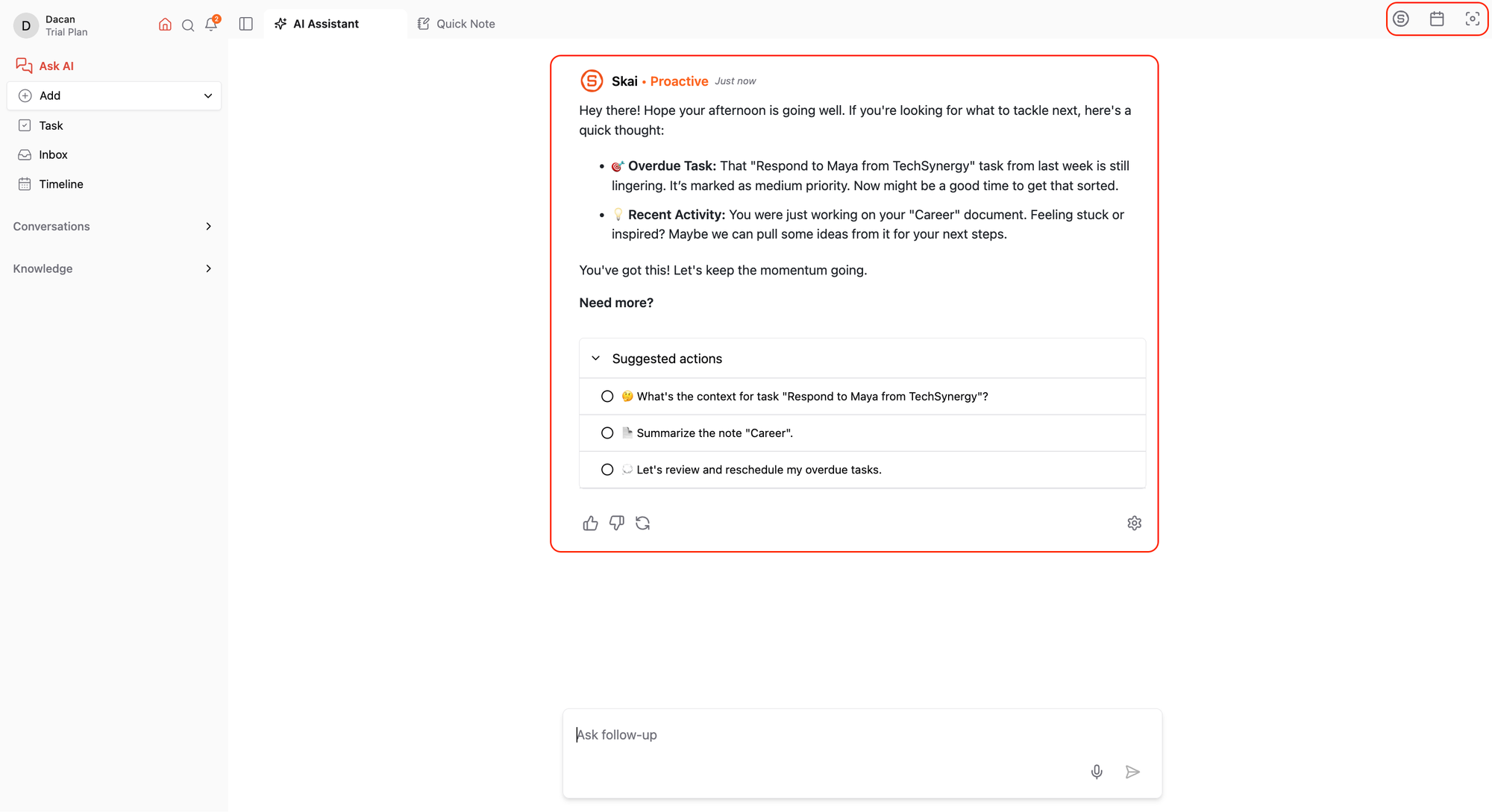
- Keeping commitments and follow-ups in view: look at Sharick.
These are starting points, not exclusive capabilities. Below, we explain what to check before connecting your work.
What does “proactive” actually mean?
For this guide, proactive help means bringing a relevant next step to your attention before you remember to ask. That might be a scheduled briefing, a suggestion triggered by new information, or a follow-up on an unresolved commitment. Ask which kind you are getting: a recurring summary and a response to a changed situation solve different problems.
Useful proactivity also needs judgment. The assistant should help you see why something matters, let you correct its understanding, and give you control over action. An extra notification is valuable only when the information earns the interruption.
Four assistants, four places to start
The table summarizes vendor descriptions and our suggested evaluation focus. Verify the integrations and controls you need in the plan you would actually use.
| Assistant | Published focus | Start your evaluation here |
|---|---|---|
 Sharick Sharick | Personal context, priorities, and proactive help. | Can you see the next useful step with less effort? |
 Saner.AI Saner.AI | Notes, email, tasks, and personal planning. | Does the suggested day plan reflect your real priorities? |
 Glean Glean | Proactive assistance grounded in enterprise work. | Can it find the right organizational context and respect access boundaries? |
 Lindy Lindy | Connected assistance, email work, and scheduled routines. | Can a recurring workflow run with the review controls you need? |
Sharick: context for your next useful move
Sharick’s focus is helping you understand what deserves attention and move forward. Tasks, meeting notes, daily briefings, and follow-up tracking give it several ways to keep an unresolved commitment visible. Start with the proactive assistant overview, then try a commitment from your own working week. Evaluate whether its suggestions are specific enough to help you choose. Try changing the deadline after the task exists. Check whether the next suggestion reflects the change and whether you can find the source behind it. Check current Sharick terms before committing.
Saner.AI: a personal planning workspace
Saner.AI describes a workspace for notes, email, and tasks. Its official workflow guide describes a daily plan drawn from that information and suggested actions for inbox items. It is a relevant option when your main burden is turning scattered information into a workable day. During a trial, change a priority and check how much effort it takes to bring the plan back into line. See Saner.AI’s workflow guide.
Watch Saner.AI’s official walkthrough on YouTubeLinked from its getting-started guide. Look for how the day plan is built and adjusted.
Glean: assistance across company knowledge
Glean describes proactive assistance for enterprise work, including relevant updates, email triage, and next-step recommendations. Its page also labels independent agents as beta. Consider it when the important context belongs to a wider organization. Ask about connector setup, permissions, and which capabilities are available to your team before comparing it with an individual assistant. See Glean’s proactive AI overview.
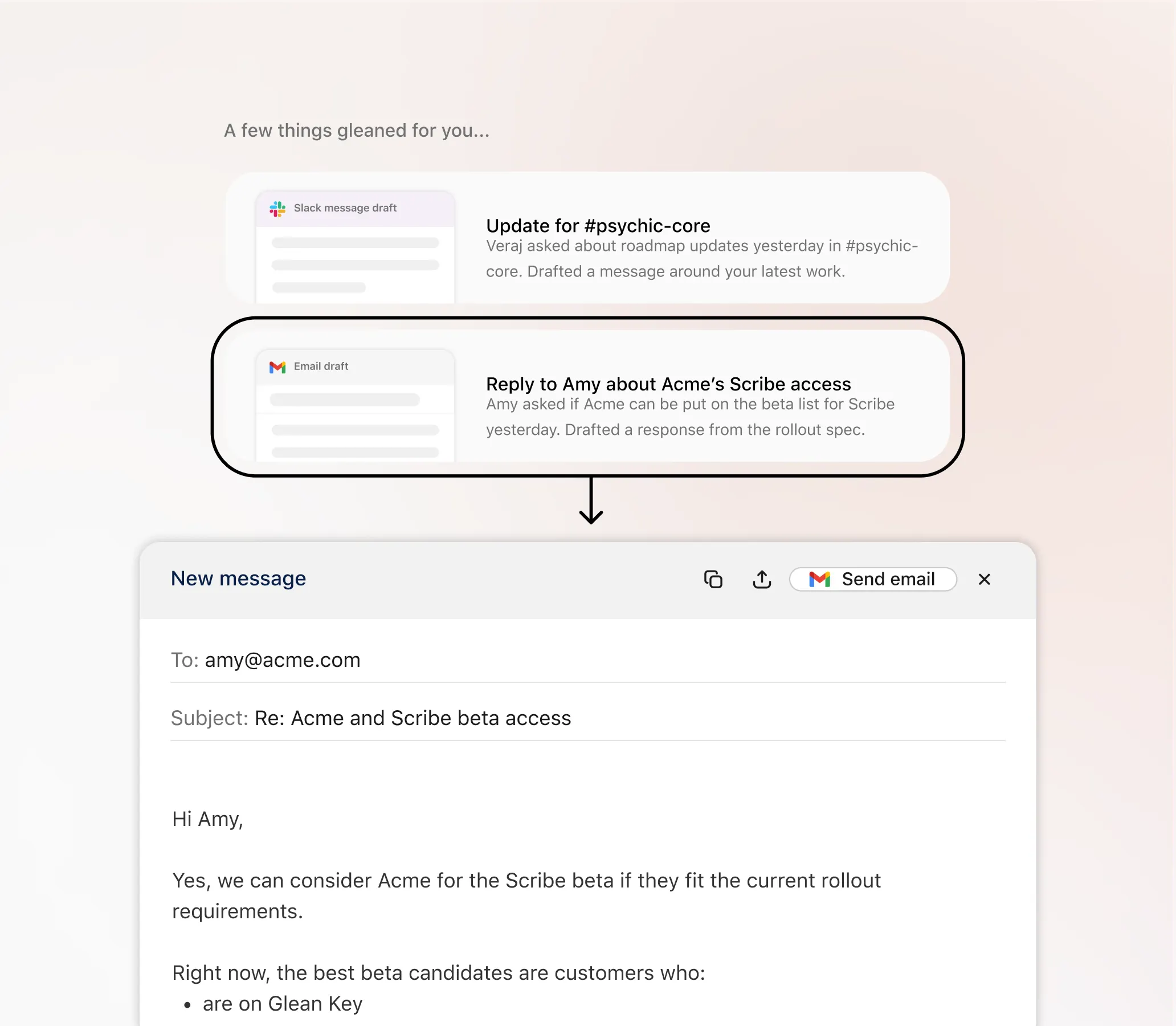
Watch Glean’s interactive artifacts demo on YouTubeAn example of its enterprise-context workflow, linked from Glean’s official video library.
Lindy: email help and repeatable work
Lindy describes email drafting, meeting assistance, connected tools, and scheduled routines. Its current homepage discusses personal assistance alongside team workflows. It is worth evaluating when you can name a repeatable job, such as a morning briefing or a recurring report. Check how the routine is configured and where approval is required in your actual setup. See Lindy’s product overview and email assistant page.
Four scenarios to try before you commit
Use the same small set of example information for each product. Give it only the access needed for the test. Record what happened, including the manual work required to get there.
1. A reply is still outstanding
Choose a conversation with a clear next step and no reply yet. Can the assistant distinguish something you owe from something you are waiting for? Look for the underlying message and a useful explanation of why a follow-up matters now.
2. A meeting creates a commitment
Use a meeting note with a named owner and deadline. Can you find the resulting commitment, correct an ambiguous assignment, and get back to its source? Count the steps needed to make the result trustworthy.
3. The situation changes
Move the deadline or supply a reply that resolves the issue. Does the assistant update its recommendation? Notice whether the old reminder remains active and whether you need to clean up duplicate tasks.
4. Nothing needs attention
Include a resolved conversation and a low-priority item. Observe whether the assistant respects that context. Try dismissing or postponing a suggestion, and check how easily you can control the next interruption.
Make a decision after one working week
Pick two products that fit your main workflow and run the scenarios above. A week is enough to learn about setup and everyday friction; it is not proof of long-term reliability. Choose the assistant that gives you a useful result with a level of checking you can sustain.
- Context: can you trace a suggestion to the information behind it?
- Correction: can you fix an owner, deadline, or mistaken assumption?
- Timing: does the help arrive when you can use it?
- Control: do you understand which actions require review?
- Fit: do the available integrations and current price work for your actual routine?
A narrower assistant can be the right choice when it solves your recurring problem well. If the trial adds another inbox to manage, reconsider the workflow you asked it to handle.
Sources and limitations
We reviewed official product pages and documentation on September 25, 2026. Vendor descriptions establish what is advertised, not independently measured performance. Features, availability, plans, and integrations can change. We have omitted numerical rankings and price comparisons because this guide does not include a standardized hands-on test.