

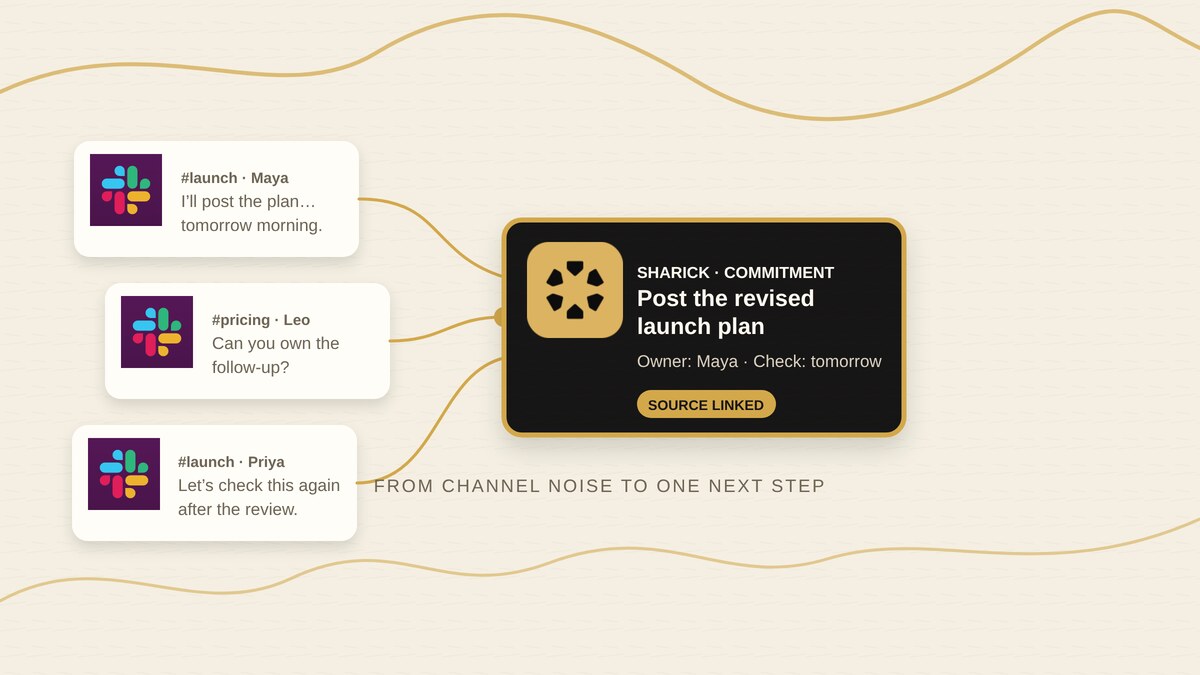
A Slack commitment tracker should make one promise easier to find again: what was agreed, who owns it, where it came up and what needs to happen next.
The useful boundary is not “archive every message.” It is selecting the channels and messages that matter, then keeping a source-linked commitment visible. Sharick can watch selected Slack channels, respond to direct mentions and turn a message into a task.
Choose the Slack signal you want to keep
Start with one of three signals:
- A watched channel: useful when a project channel contains recurring hand-offs.
- A direct mention: useful when someone asks you to own a next step.
- A message shortcut: useful when you spot a promise and want to create a Sharick task from that message.
These are deliberate capture points. They do not mean that every Slack message becomes a commitment, or that the whole workspace is continuously tracked.
Record the agreement, not the noise
For each captured item, keep four things together:
- Commitment: the outcome someone agreed to deliver.
- Owner: the person who accepted the next step.
- Source: the channel, message or thread where the agreement was made.
- Check-in: the date or condition that tells you when to look again.
“We should revisit the launch plan” is an idea. “I’ll post the revised launch plan in #launch tomorrow” is a commitment. If the owner or timing is unclear, ask before turning it into a deadline.
Check the thread before following up
Imagine a teammate says they will share revised pricing in a project channel. Before nudging them, open the source thread and check for a later reply, a changed scope or a different delivery date.
If the item is still outstanding, a specific check-in is easier to answer than “Any updates?”

“Hi Maya, checking on the revised pricing we discussed in the launch thread. Is tomorrow still workable, or should we update the timeline?”
Sharick can deliver a briefing or configured alert to Slack, and it can prepare a follow-up for your review. Treat the draft as a proposal: check the source and decide what goes out in your name.
Keep the scope honest
Channel selection is part of the workflow. Choose the channels you want watched, configure where captured items should go and remove stored Slack data through the product’s deletion flow when needed.
Do not describe this as unrestricted workspace-wide sync or automatic outbound action. The practical test is smaller: can you find the commitment, verify its source and decide the next step without rereading every channel?
Start with one channel
Pick one project channel and one recent promise. Capture it, confirm the owner and source, then check whether the next briefing or follow-up draft helps.
For commitments made in email, use the email commitment workflow. For agreements from calls, use the meeting commitment workflow. Sharick’s proactive assistant overview explains how the connected-work workflow fits together.
Try SharickSources and limitations
This guide describes the Slack workflows verified in Sharick’s product repository on October 14, 2026: Slack OAuth and scopes, selected-channel capture routing, mentions, message shortcuts, thread replies, briefing and alert delivery, and Slack-data deletion. See the Slack connection route, mention processor, capture-route settings, Slack webhook and Slack-data deletion flow.