

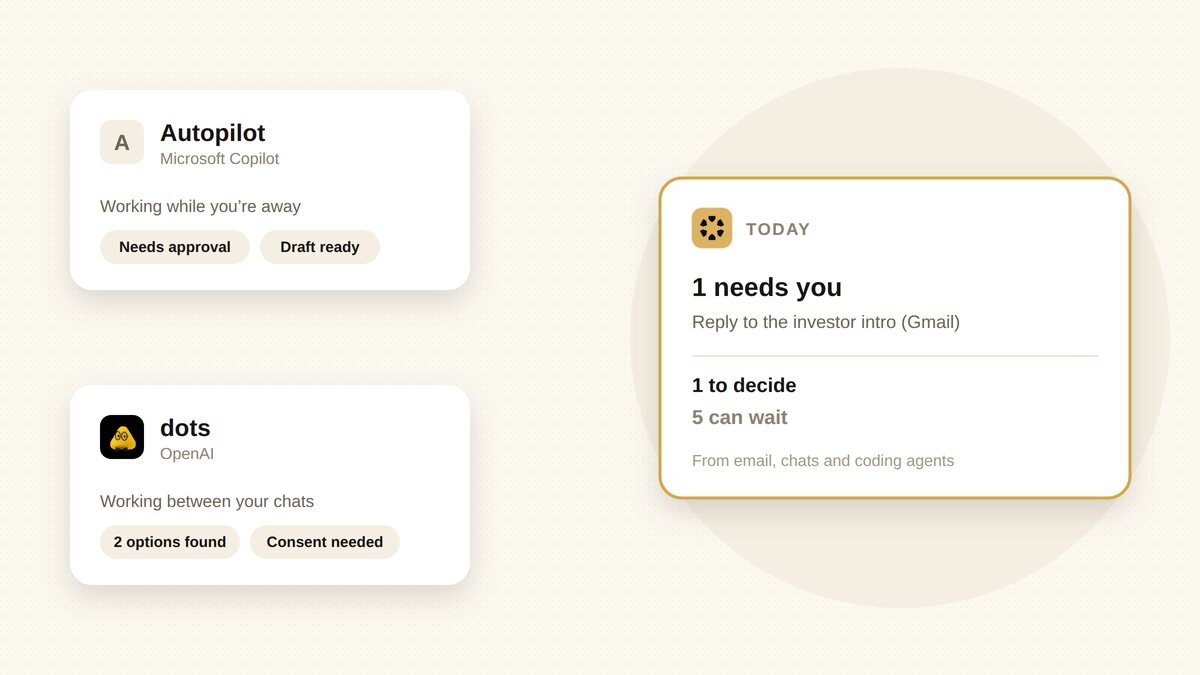
On September 25, Microsoft announced a rebuilt Copilot with three tabs, Home, Code and Autopilot. Autopilot builds on the “Autopilots” Microsoft introduced in June: always-on agents that act under their own identity. It moved into private preview at the end of September. Four days later, OpenAI launched dots, agents with their own cloud computer that keep working between your conversations. If you run a small company, the obvious question is which one to try. The more useful question comes after.
Publisher disclosure: we build Sharick. It is not an agent you hand your accounts to like either of these, and it doesn’t send anything under your name. This is a source-based comparison from public announcements and coverage as of October 7, 2026, not a hands-on benchmark. Autopilot is in private preview and dots launched days ago, so details will change.
The short answer
- Autopilot is Microsoft’s agent for organizations that already live in Microsoft 365. It shows up in Teams, Outlook, chats and documents, runs under its own governed identity, and is billed by usage.
- OpenAI dots are OpenAI’s agents for people who already live in ChatGPT. They also work in Slack and Teams, keep background work read-only, and come with ChatGPT Pro or Business Premium.
- Sharick doesn’t compete as another agent acting for you. It reads what reports back to you, from email, chats and the coding agents you connect, and puts forward what needs your attention today.
Side by side
| Microsoft Copilot Autopilot | OpenAI dots | Sharick | |
|---|---|---|---|
| What it is | An always-on agent that keeps working without a prompt | An agent with its own cloud computer that keeps working between conversations | An assistant that tracks commitments and narrows what reaches you |
| Where you talk to it | Teams, Outlook, chats and documents; @mention it like a coworker | ChatGPT (message or call), Slack, Teams | A daily briefing on desktop, mobile and web |
| Acts as | Its own governed identity, within the permissions your organization sets | Your agent inside ChatGPT, with read-only background access | Doesn’t send under your name; drafts, and you send |
| How you pay | Usage-based Copilot Credits for long-running agent work | Included with ChatGPT Pro or Business Premium | Subscription; see pricing |
| Availability | Private preview, no general availability date; mailbox and calendar access limited to Frontier preview tenants | Launched Sept 29; Pro excludes EEA, UK and Switzerland at launch | Available now |
Microsoft Copilot Autopilot: an agent with its own identity
- AnnouncedSept 25, 2026
- Lives inTeams, Outlook, docs
- BillingCopilot Credits
- Statusprivate preview
Microsoft draws the line simply: Copilot waits for you to ask, an Autopilot keeps working when your attention is elsewhere. It stays active in the background, works across your apps, and you can @mention it in Teams or Outlook like a coworker. Microsoft Scout, the first agent in this category, introduced in June, works across Teams, Outlook, OneDrive and SharePoint.
The design choice worth noticing is identity. Each agent runs under its own governed Entra identity instead of a shared service account, so what it does is attributable and bounded by the permissions and policies your organization sets. For a company with an IT admin, that’s reassuring. For a five-person startup, it’s also setup: early access requires admin enablement and policy configuration.
The other thing to watch is cost. Long-running agent work is billed through usage-based Copilot Credits, so an agent that keeps working also keeps spending. Set a budget before you let it run.
Consider it if your company already runs on Microsoft 365 and has someone to administer it. Hesitate if you want predictable monthly costs, or you’re not in the preview programs yet.
OpenAI dots: an agent where you already chat

- LaunchedSept 29, 2026
- ModelGPT-6 Astra
- Lives inChatGPT, Slack, Teams
- Priceincluded with Pro, Business Premium
Each dot has its own cloud computer, learns from your feedback, and can connect to thousands of apps through plugins. You can message or call it in ChatGPT, or message it in Slack and Teams. When it works in the background on its own initiative, it has read-only access to your connected apps, and sensitive actions need your explicit consent.
Where Autopilot leans on your organization’s identity and policies, dots lean on your ChatGPT account and per-action consent. That’s simpler to start with, and it means the approvals come to you. We compared dots with OpenClaw, Muse and Grok Bot in more detail in our always-on agents comparison.
Consider it if you already pay for ChatGPT Pro or Business Premium and you’re outside the regions excluded at launch. Hesitate if your team’s work lives in Microsoft 365 and your admin wants agents under company identity.
What both leave to you
Both agents are built to keep working after you stop looking. That’s the point, and it’s also where the next problem starts. An always-on agent comes back with handbacks: a draft to approve, two options it found, a question it can’t answer, a task it finished. One agent is easy to keep up with. Add a second, a coding agent and a few scheduled jobs, and each one reports back in its own place and format.
An agent that never stops working is easy to build. Deciding which of its results deserve a person’s attention is the hard part.
Autopilot answers this for an organization: identity, permissions, audit. Dots answer it for an action: read-only by default, consent for anything sensitive. Neither answers it for your attention: which of today’s handbacks actually needs you, and which can wait or be ignored.
Where Sharick fits

Sharick is built for that second job. It reads what comes in from your email, chats, meetings and the coding agents you connect, keeps the context behind each item, and puts what matters into one short daily briefing. One limit matters for this article’s readers: Sharick connects to Gmail and Google Calendar, not Outlook or Teams, so it can’t see what Autopilot hands back today.
- It proposes; you decide. Sharick drafts replies and follow-ups. Nothing goes out under your name without you.
- Coding agents can report into it. On a Mac, Claude Code and Codex connect to Sharick over MCP (Settings › Integrations › Agent Skills) and can hand work back there, so you read one place instead of several.
- It holds back. A to-do in one of your topics that has slipped a week gets a question, not more pressure, and things that don’t need you stay out of the way. See why we ask instead of pressing.
If you use one always-on agent and keep up with it fine, you may not need this layer. If your work runs on Google Workspace and you’re juggling email, chats and a few coding agents, that’s the point where it starts to help.
How to choose
- Follow where your work already lives. Microsoft 365 with an admin: look at Autopilot. ChatGPT Pro or Business Premium: try dots first. Don’t switch suites to get an agent.
- Give it one bounded job. A weekly report, an inbox you watch, a follow-up you keep forgetting. Something you can check.
- Set the limits before it runs. For Autopilot, a credit budget and its permissions. For dots, which apps it can see and what needs your consent.
- Count what comes back after a week. How many handbacks, and how many were worth your attention. If that ratio is low, fix it before adding a second agent.
Sources and limitations
- Microsoft: Introducing the new Copilot with Home, Code and Autopilot (September 25, 2026), and Microsoft 365 message center MC1332811: Introducing Microsoft Scout, an always-on personal agent.
- Coverage of availability and billing: The Register and Windows Mode.
- OpenAI: Introducing dots and the dots privacy and safety FAQ.
- We have not used Autopilot. Previews, regions and billing details change quickly; check the vendors’ pages before you commit.