

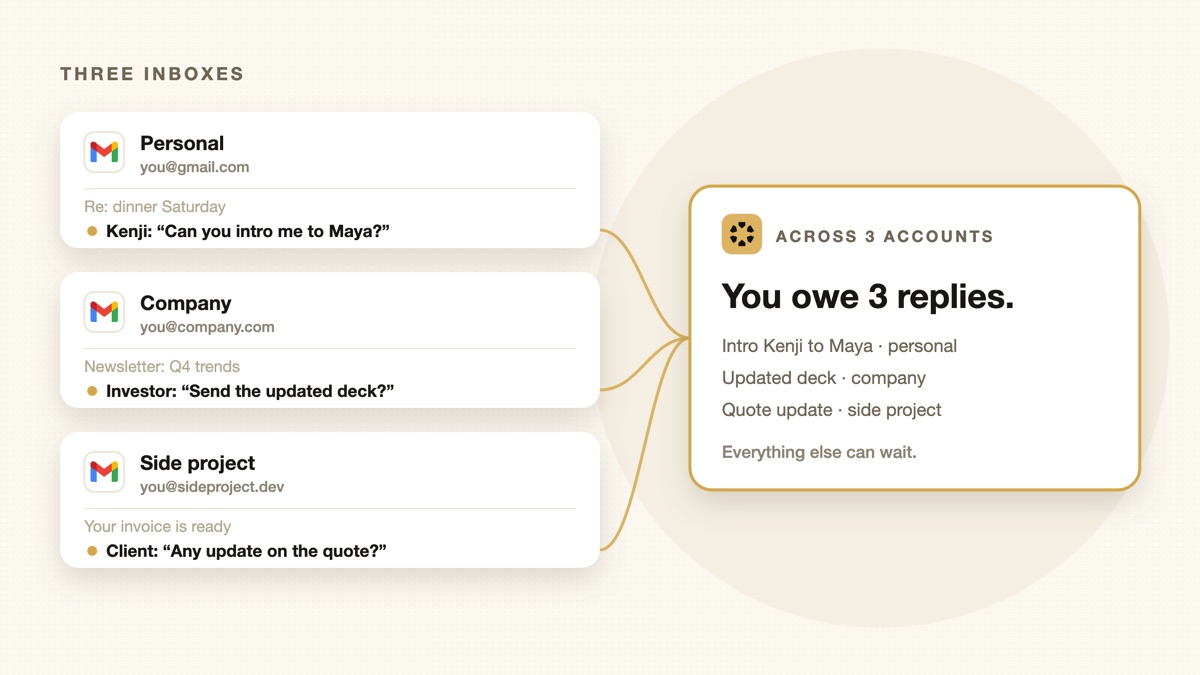
I run three Google accounts: personal, Sharick, and Alenx, the company behind it. The inbox I check least is always where something waits too long: a reply I owed, a thread I meant to come back to. Reading all three in one place never fixed that. Knowing what I owe in each one did.
Most founders I talk to run at least three inboxes too. And Gmail is about to take away the most common way of merging them. Here are your options, and why the real problem isn’t reading all your email in one place.
Publisher disclosure: we build Sharick, which comes up at the end. Product details come from official help and pricing pages checked October 1, 2026, plus consistent coverage; features and prices change often.
Gmail is removing its merge-inboxes features
If you pull other accounts into one Gmail inbox with Check mail from other accounts (POP) or Gmailify, that’s ending. New users lost access after the first quarter of 2026. Existing users keep it until January 2027, when Gmail removes POP fetching, Gmailify and Send as for third-party accounts. Messages already synced stay in Gmail.
What still works: adding accounts to the Gmail mobile app and using All inboxes to see them together, or a one-time import on the web. If your setup depends on forwarding everything into one Gmail, you’ll need a new plan within about a year. Source: Gmail Help.
What actually goes wrong with multiple inboxes
Reading isn’t the hard part. These are:
- The less-checked inbox. Every founder has one: the old company address, the side project, the client domain. Replies there wait days.
- Promises split across accounts. You agree to something from your work address, and the follow-up lives in a thread you won’t open again until it’s late.
- Wrong-account replies. Answering a client from your personal address, or an investor from a side-project domain.
- The same person, two addresses. A cofounder emails your work and personal accounts, and the context is split in half.
Option 1: native tools (free)

- Gmail app, All inboxes: add up to 5 accounts on iPhone or Android and read them in one stream, labeled by account. Free, and the most common setup today.
- Gmail on the web: switch between signed-in accounts. After January 2027, POP fetching and Send as for third-party accounts go away, so plan around that.
- Outlook: also offers a combined view across accounts in its apps.
Good for: reading. Not for: knowing what you owe in each account.
Option 2: AI email clients
| Spark | Superhuman | Shortwave | |
|---|---|---|---|
| Unified inbox | Yes, free | No; switch accounts or use tabs | No default unified view |
| Account types | Gmail, Outlook, iCloud, IMAP | Gmail, Outlook | Gmail |
| AI | Assistant and smart inbox; full AI on paid plans | Drafts, replies, summaries, Ask AI | Summaries, AI search, assistant, filters |
| Price | Free; paid from $10/month | From $30/month; key AI on $40 Business | From $24/month (annual), all connected accounts included |



- Spark is the strongest pick if a unified inbox is the main goal: free, unlimited accounts, any provider.
- Superhuman is built for speed in one inbox at a time, with strong AI drafting. Its own help center suggests tabs as a unified-inbox workaround.
- Shortwave is AI-first for Gmail and covers all your connected Gmail accounts for one price, but suggests forwarding into a primary account for a single view.
Option 3: DIY with ChatGPT, Claude or Gemini
You can schedule a daily prompt that reads your email: “Find threads where I owe a reply.” It works, with one catch: connections usually cover one account at a time, so three accounts means three setups and three morning messages. See how to make ChatGPT, Claude and Gemini proactive for the setup.
What actually fixes it: one view of what you owe

A unified inbox shows you every email. What you need is one view of every open loop: what you promised, who you’re waiting on, and which account it lives in.
That’s how Sharick works with multiple Google accounts. Connect each Gmail or Workspace account, and Sharick brings commitments and follow-ups from all of them into one daily briefing, sorted into today, decide and FYI, each linked back to the original thread. It doesn’t replace your email client. Keep Spark, Superhuman or the Gmail app for reading; Sharick keeps track of what each conversation needs from you.
A setup that works
- Pick one client for reading. The Gmail app’s All inboxes is fine.
- Set a default sending account per contact type, so client mail always goes from the work address.
- Replace POP forwarding before January 2027 if you rely on it.
- Track commitments separately from email. Whether that’s Sharick, a scheduled AI prompt or a simple list, don’t let “what I owe” live only inside threads.
Sources and limitations
Checked October 1, 2026. Features and prices change; verify before you subscribe.
- Gmail Help: upcoming changes to Gmailify and POP and changes to third-party email account support
- Superhuman Help: managing accounts
- Spark and Shortwave: official product and pricing pages