

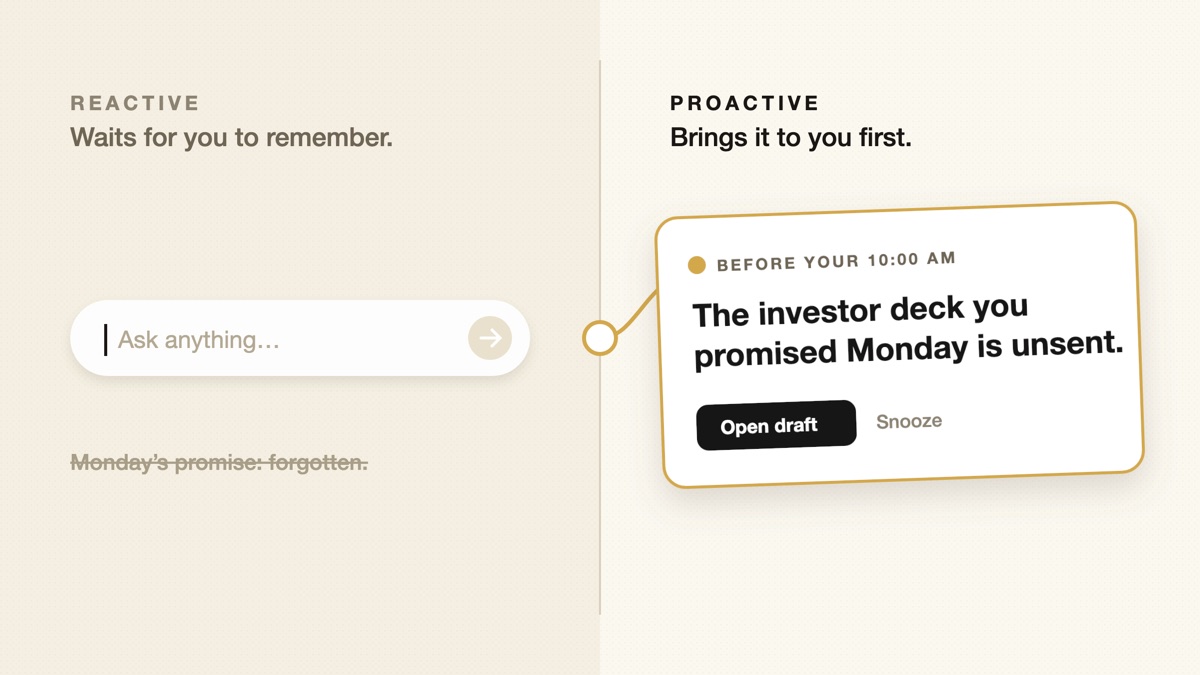
Ask a reactive assistant to draft a follow-up and it will write a good one. It will not tell you, on Thursday morning, that the investor you promised a deck to on Monday is still waiting. That second job is what people mean by a proactive AI assistant.
The short answer
- Reactive: you notice the need, you ask, it helps. Quality depends on your prompt and your memory.
- Proactive: it notices the need from context you have shared and brings it to you. Quality depends on its judgment about what matters.
Neither is better in general. They fail in different ways, and the right choice depends on which failure costs you more.
Where the two actually differ
| Reactive assistant | Proactive assistant | |
|---|---|---|
| What starts the work | Your prompt | A change in your context: a message, a meeting, a date |
| What it needs | The question and whatever you paste in | Ongoing, permissioned access to where your work happens |
| Typical failure | Silence: you forgot to ask | Noise: it interrupts for the wrong thing |
| Cost of a mistake | A weak answer you can ignore | Lost attention, or a wrong action if it can act |
| What to judge it on | Answer quality | Whether its interruptions are worth it |
The important row is the typical failure. A reactive assistant never bothers you, so its failures are invisible: the follow-up nobody sent, the deadline nobody flagged. A proactive assistant makes its failures visible, because every bad suggestion costs you a moment of attention.
When reactive is enough
Stay with a reactive assistant if most of these are true:
- Your work arrives in one place, and you already review it daily.
- You rarely make promises that span weeks or many people.
- The expensive mistakes in your week are bad drafts, not forgotten ones.
- You would rather not grant ongoing access to email, calendar, or chat.
That last point is legitimate. Proactive help requires context over time, and that is a real trade to make deliberately.
When proactive help earns its place
Proactive help pays off when forgetting is the costly failure. Common signs:
- You make commitments in meetings and chat that never become tasks.
- You are waiting on several people and lose track of who owes what.
- Plans change mid-week and old reminders keep firing.
- You spend the first hour of the day reconstructing what matters.
If that sounds familiar, the question is no longer whether the assistant can write. It is whether it can tell what deserves your attention today. For a closer look at that one job, see what an AI assistant that follows up for you should track.
Four checks before you switch
- Trace: for any suggestion, can you see the message or meeting behind it?
- Correct: can you fix a wrong owner or date once, and have it stick?
- Quiet: when nothing needs you, does it stay quiet?
- Approve: is it clear which actions it takes alone and which wait for you?
The third check is the one most products skip. We think it is the difference between proactive and genuinely useful, and we wrote about it in the case for attentive AI assistants. For a product-by-product comparison, see how to choose a proactive AI assistant.